15 Publishing with GitHub Pages, Quarto Pub, and Cloudflare Pages
15.1 Learning objectives
By the end of this chapter, you should be able to distinguish rendering from deployment, select a hosting provider, publish a static book, configure a deployment pipeline, diagnose broken links, and maintain a collection of independently versioned textbooks.
15.2 From manuscript to public resource
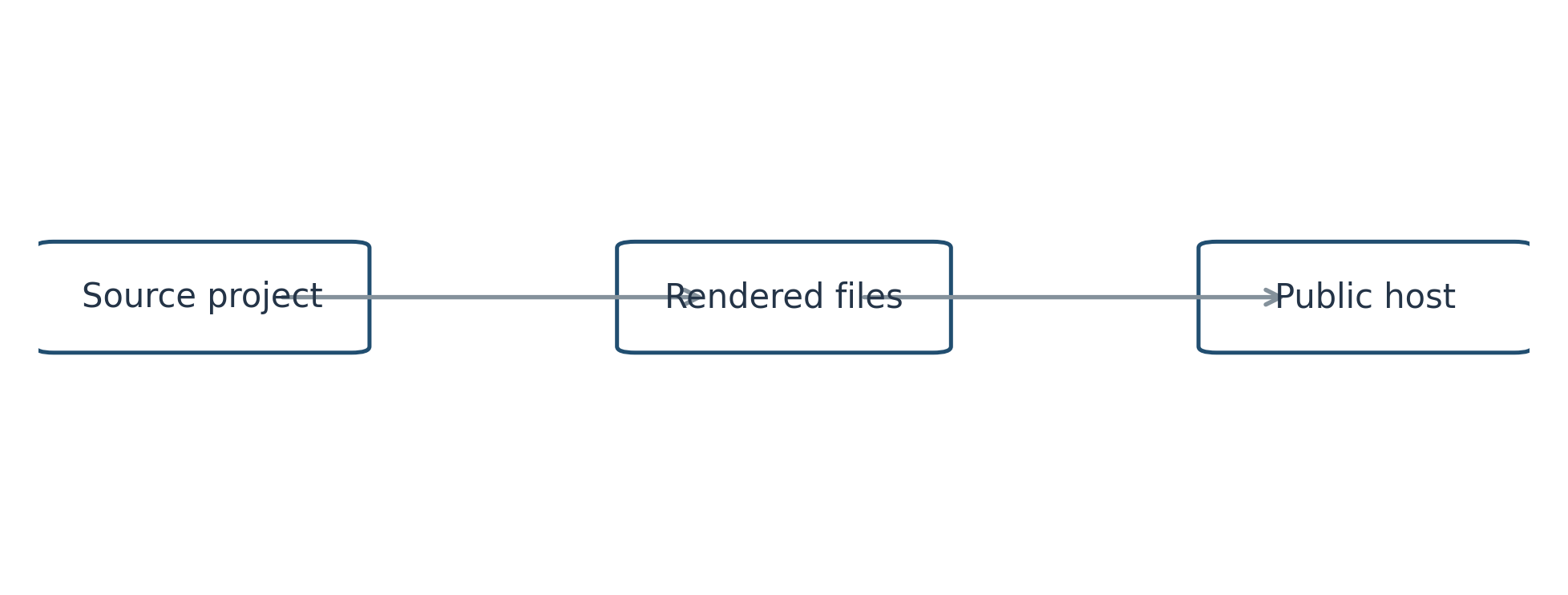
A textbook is not published merely because it renders successfully on its author’s computer. Rendering produces HTML, stylesheets, scripts, images, and search indexes. Deployment transfers those artifacts to a host that responds to readers’ HTTP requests. DNS connects a human-readable hostname to that host. These are separate processes, and each can fail independently.
Consider a biostatistics instructor who prepares a lesson about confidence intervals. R or Python executes on the author’s machine during rendering. A student who opens the resulting HTML can read the results without installing either language. Browser-based JavaScript can respond to a slider after publication, but conventional Shiny requires a running application service. Do not assume that uploading an R script to a static host makes it executable.
For a reproducible publication, record the source commit, Quarto version, package versions, build date, and public URL. An edition is an intellectual revision; a deployment is an operational event. One edition may have multiple deployments.
15.3 Preparing a static build
Run the following commands from the directory containing the project configuration.
quarto check
quarto render --to html
A book normally produces _book, while a website normally produces _site. Respect any custom output-dir in the configuration. Inspect the generated directory and confirm it contains index.html and all dependent files. Upload the contents of the output directory together, not only the landing page. Never confuse the editable source repository with the public artifact.
Preview your project locally using quarto preview. Also test the rendered output through a local static web server. The latter resembles the actual deployment more closely; it exposes missing files and assumptions about the web root. For a book, for instance:
python -m http.server 8000 --directory _bookOpen http://localhost:8000/ in a browser. Test chapter navigation, equations, figures, relative downloads, search, and interactive components. Stop the server with Ctrl+C. This server is only for local development, not production hosting.
15.4 GitHub Pages
GitHub Pages is a useful starting point when the source already resides in GitHub. A project site typically lives at https://USERNAME.github.io/REPOSITORY/. This prefix matters: an image referenced as /images/plot.png starts at the domain root, whereas a relative path is resolved from the current document. Prefer Quarto-managed or correctly relative references.
15.4.1 Publishing from a branch
Use a dedicated source repository and verify that your local changes are committed, your remote is correct, and you have permission to publish. From the source branch, run:
git status
git remote -v
quarto publish gh-pages
Quarto can maintain a separate gh-pages output branch. Inspect the repository’s Pages settings and deployment history if the site does not appear. A user or organization homepage may require selecting the branch manually. Keep the generated output out of the source branch when using this approach.
An alternative is to configure the output directory as docs, commit the generated directory, and select the main branch and /docs in Pages settings. Ensure a .nojekyll marker is included in the published directory so that generated assets are not unnecessarily processed by Jekyll. Choose one deployment method rather than mixing them.
15.4.2 Continuous deployment
The example portal contains a GitHub Actions workflow that installs Quarto, renders a static website, uploads the generated artifact, and deploys it with the Pages deployment action. Enable GitHub Actions as the Pages source in the repository settings before running it. The workflow uses limited permissions and deploys only on pushes to main or a manual dispatch. A computational book may also need R, Python, Jupyter, and project dependencies installed before rendering. Pin tool and dependency versions for a release build, and review updates periodically.
15.5 Quarto Pub and Posit Connect Cloud
Quarto Pub has historically provided a straightforward public hosting workflow:
quarto publish quarto-pubHowever, the official Quarto documentation now identifies Posit Connect Cloud as its replacement and recommends that new projects use the newer service. Existing users should review migration guidance and preserve their source project, public URLs, and publication records. On a supported Quarto version, the newer publishing target is:
quarto publish posit-connect-cloudAuthentication and eligibility are service-specific. Verify current account limits and visibility before proceeding. A publishing record such as _publish.yml identifies a destination; it is not a place to store passwords or API tokens. Do not publish sensitive student or patient information even when the source repository itself is private.
15.6 Cloudflare Pages
Cloudflare Pages can serve a prebuilt Quarto site. Begin with a test deployment using its assigned pages.dev hostname. This separates hosting issues from DNS issues. For a simple manual deployment, create a Direct Upload project, render your book locally, then upload the rendered directory through the dashboard or Wrangler. With Node.js and npm installed, the CLI workflow is:
npx wrangler login
npx wrangler pages project create
npx wrangler pages deploy _book --project-name YOUR_PROJECT --branch main
Use the actual configured production branch. Replace _book with _site for the example portal. Do not include the source directory as the upload target. Cloudflare also offers Git-integrated projects, but a build environment must have Quarto and all required computational dependencies. Direct Upload with a separate CI build can simplify this problem. Direct Upload and Git integration are project-level choices; moving between them may require a new project.
15.6.1 Custom domains
A domain is a durable reader-facing address independent of the underlying project. Add the hostname through the Pages project’s custom domain controls before arranging the necessary DNS records. Apex domains and subdomains have different DNS requirements; consult the provider’s instructions. Wait for certificate provisioning and verify HTTPS. Avoid removing a working hostname until its replacement is tested.
15.7 Designing a textbook collection
A collection can have a landing page listing titles, descriptions, editions, and publication status. Three common architectures are independent sites linked by a catalog, one assembled static site containing subdirectories for each book, or an advanced reverse-proxy router. The first is simplest and isolates book releases. The second provides a unified URL structure but requires coordinated builds. The third allows independent builds behind one domain but introduces complexities involving redirects, asset paths, search, caching, and security.
For example, a portal may be hosted at books.example.org and link to independently published books on their own subdomains. The included practice portal uses two local sample book pages rather than fictional live destinations. Its catalog records a stable slug, title, edition, and status for each entry. Draft entries are explicitly labeled and are not presented as available books.
15.7.1 Safe URL migration
When moving a book, preserve old URLs if possible. Cloudflare Pages supports a _redirects file in the deployed assets. An illustrative rule for an old landing page is:
/old-catalog /catalog.html 302Test temporary redirects first. Only select permanent redirects after confirming the new address and internal links. A redirect sends the reader to a new URL; it does not transparently proxy content. Avoid open redirects based on unvalidated query parameters. For an advanced router, restrict origins to explicitly approved hosts, handle location headers carefully, and test nested paths and trailing slashes. Do not proxy arbitrary user-supplied destinations.
15.8 Worked example: validating a catalog
Suppose a publisher has four synthetic textbook records, two of which are ready for publication. Slugs must be unique and stable. A public catalog should not link to a draft. Validation before deployment reduces avoidable errors. The following examples read the same CSV supplied in examples/ch15/portal/catalog.csv. Run from that directory.
15.8.1 R implementation
catalog <- read.csv('catalog.csv', stringsAsFactors = FALSE)
stopifnot(!anyDuplicated(catalog$slug))
stopifnot(all(grepl('^[a-z0-9]+(-[a-z0-9]+)*$', catalog$slug)))
stopifnot(all(catalog$status %in% c('published', 'draft')))
ready <- subset(catalog, status == 'published')
stopifnot(all(file.exists(ready$path)))
print(ready[, c('title', 'edition')])
15.8.2 Python implementation
import csv
import re
from pathlib import Path

with open('catalog.csv', encoding='utf-8', newline='') as f:
    catalog = list(csv.DictReader(f))
slugs = [row['slug'] for row in catalog]
assert len(slugs) == len(set(slugs))
assert all(re.fullmatch(r'[a-z0-9]+(?:-[a-z0-9]+)*', s) for s in slugs)
assert all(row['status'] in {'published', 'draft'} for row in catalog)
ready = [row for row in catalog if row['status'] == 'published']
assert all(Path(row['path']).is_file() for row in ready)
print([(row['title'], row['edition']) for row in ready])
Both scripts verify source paths, not the availability of a deployed website. The expected result is two publishable entries. An additional build check should confirm that the rendered HTML files exist. In production, validate also that links do not expose unpublished resources. Merely labeling a source document as draft does not ensure it stays private; keep restricted material outside the published build.
15.9 Deployment troubleshooting
A failed build has no new artifact to deploy. Read the first meaningful error in the build log and reproduce it locally. A successful build followed by a 404 suggests an incorrect output folder, path prefix, or host configuration. A page that loads without styles often references missing assets or the wrong absolute path. A domain error may reflect DNS or certificate provisioning rather than Quarto. A stale page may indicate a different branch or cached version. Record the failing URL, expected behavior, source revision, and build identifier before changing settings.
Use a private browsing window and a mobile device to test as a reader. For command-line diagnostics, curl -I URL provides HTTP headers, while curl -IL URL follows redirects. Some hosts treat HEAD differently from GET, so confirm with a normal browser request. Do not interpret HTTP 200 alone as proof that the correct book was served; verify its title and edition.
15.10 Guided practice
- Render the example portal locally, identify the output folder, and open it through a local HTTP server. Inspect the two sample book pages.
- Introduce a duplicate slug in the catalog, run the Python validation script, and explain the failure. Restore the original catalog and rerun the check.
- Sketch a URL architecture for three textbooks with independent release schedules. Explain why linked subdomains might be easier to maintain than a reverse proxy.
- Create a deployment checklist for a biostatistics teaching website containing figures, a downloadable synthetic CSV, and an Observable JavaScript activity. Distinguish build checks from reader-facing checks.
15.12 Chapter summary
Static publishing separates computation from delivery. A reliable workflow has a source repository, a reproducible build process, an artifact directory, a deployment record, and a verification step. Begin with the provider’s default URL before connecting a custom domain. Prefer simple, independent book deployments unless a shared URL structure is a genuine requirement. Review permissions and data privacy before every public release.
15.13 Review exercises
- Distinguish rendering from deployment.
- Explain why static hosting cannot normally execute an R Shiny server.
- Name the default output directories for websites and books.
- Explain why uploading only index.html is insufficient.
- What purpose does gh-pages serve?
- Explain the risk of root-relative links on GitHub project sites.
- What is the recommended successor to Quarto Pub for new projects?
- Distinguish Direct Upload and Git-integrated deployment.
- Why should a default provider hostname be tested before custom DNS?
- Explain the difference between a redirect and a reverse proxy.
- Why should a draft book not be part of the public artifact?
- What does unique slug validation accomplish?
- Explain why HTTP 200 alone is insufficient for release verification.
- Identify two secrets that must not appear in a repository.
- Describe a rollback strategy for a broken chapter release.
- Explain how a release tag and deployment record complement each other.
15.14 Applied project
Build a small academic publishing portal for two independently maintained learning resources. Create a catalog and two accessible sample pages. Validate unique slugs and page paths using R or Python. Render the portal and test it locally. Prepare a GitHub Pages or Cloudflare Pages deployment plan; actual public deployment is optional and requires permission. Submit the source, validation output, screenshots of local tests, and a release checklist. Use synthetic or openly licensed content only.
| Criterion | Points |
|---|---|
| Information architecture and navigation | 5 |
| Reproducible source and build configuration | 5 |
| Catalog validation and link testing | 5 |
| Deployment and rollback plan | 5 |
| Accessibility, privacy and documentation | 5 |
| Total | 25 |
15.15 Further reading
- Quarto: GitHub Pages
- Quarto: Quarto Pub and migration notice
- Quarto: publishing options
- Cloudflare: Direct Upload
- Cloudflare: custom domains
- Cloudflare: continuous integration
Hosting guidance reviewed November 2026; consult current provider documentation before deployment.
15.16 Supplemental assessment
- Conceptual (4 points). Explain why a successful local render does not prove a successful deployment.
- Technical (8 points). Resolve figures/a.png and /figures/a.png relative to https://books.example.org/book-1/chapter.html.
- Applied (8 points). Design a preview and rollback procedure for Book 1 and Book 2.
See the student assessment packet in the source package for submission guidance and any required datasets.
15.17 Looking ahead
Integrate the publishing workflow into the capstone projects in Chapter 16.
15.18 Interactive learning lab
Explore the activity below, then explain what changed and why.